Contact form that fails on phones: before and after
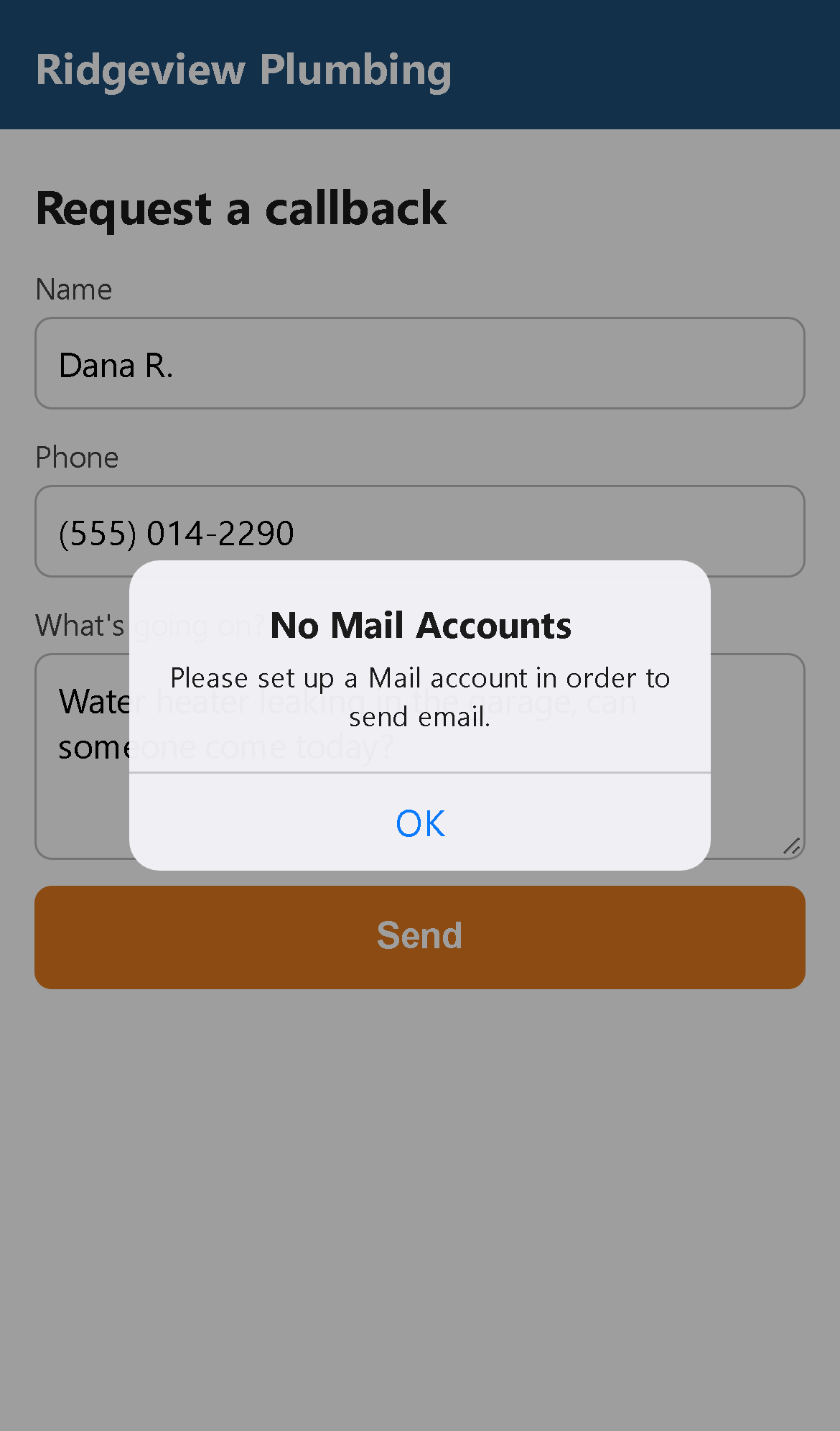
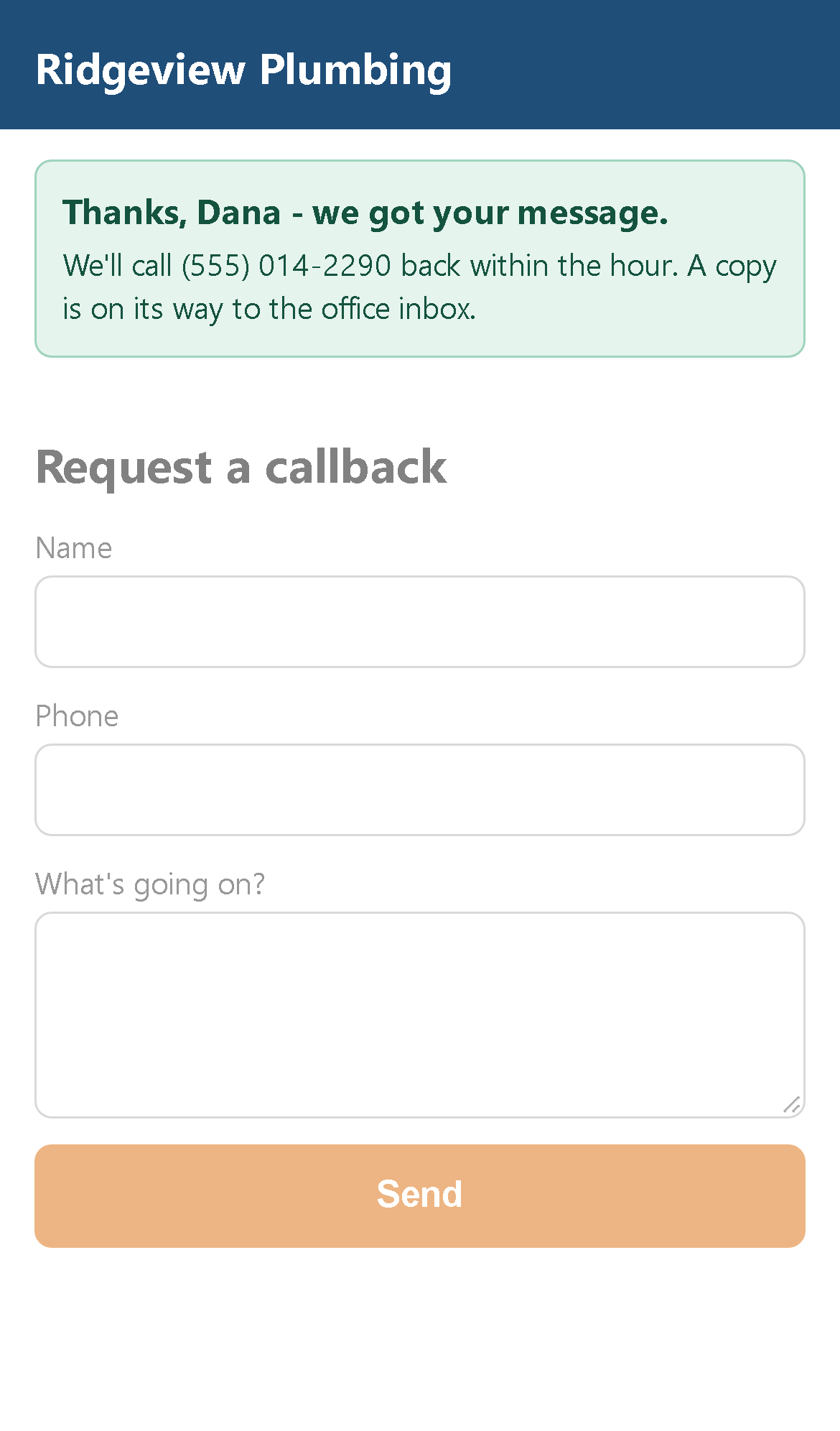
The same callback form on the same iPhone. On the left the form is built
with action="mailto:...": pressing Send does not send anything.
It asks the phone to open a mail app and hand the message to it. Most people
never set one up on their phone, so they get "No Mail Accounts" (or, on
Android and on office computers, a chooser or nothing at all). The customer
thinks they asked for a callback; the business never hears about it, and
never knows it missed the job.
The fix: send the form from the website, not from the visitor's phone
The form has to post to something on the web that emails the business. Pick whichever matches the site; each takes minutes, and none needs the visitor to have anything set up.
Any plain HTML site (free tier, no server code): sign up at a form service such as Formspree, then change one attribute:
<form action="mailto:office@example.com" method="post" enctype="text/plain">
                 becomes
<form action="https://formspree.io/f/your-form-id" method="POST">
Netlify-hosted site: add data-netlify="true" and a
name to the form tag; submissions are emailed to you.
WordPress: replace the form with Contact Form 7, WPForms or the
theme's form block, and send it through an SMTP plugin so it is not lost to
spam filtering.
Wix, Squarespace, GoDaddy builder: delete the embedded HTML form and
drop in the builder's own contact form; set the notification address.
PHP hosting: a 20-line mailer script on the same host works too.
Then a thank-you message on the page, so the customer knows it went through, and a test from a phone with no mail app before calling it done.
The page above is a sample built for this demo, not a real business. The alert is how iOS responds to a mailto link with no Mail account set up; screenshots taken with an emulated iPhone 13. More before/after examples: all demos.